












Greetings, crypto philanthropists! If you are a MetaMask user, you can now donate ERC-20 tokens and other crypto assets to your favorite charities seamlessly, thanks to The Giving Block’s integration with MetaMask.
Here’s how you can make a donation to one of thousands of nonprofits, quickly and securely:
What You’ll Need First:
- An active MetaMask wallet (you can get one here for free)
- A balance of the token you wish to donate (including gas fees)
When you’re ready to go, follow the instructions below to make a charitable donation from your MetaMask wallet:
How To Donate Using MetaMask Wallet
Excited to donate Ethereum and ERC-20 tokens through your MetaMask wallet? See the step by step instructions below:
Step 1: Choose your cause
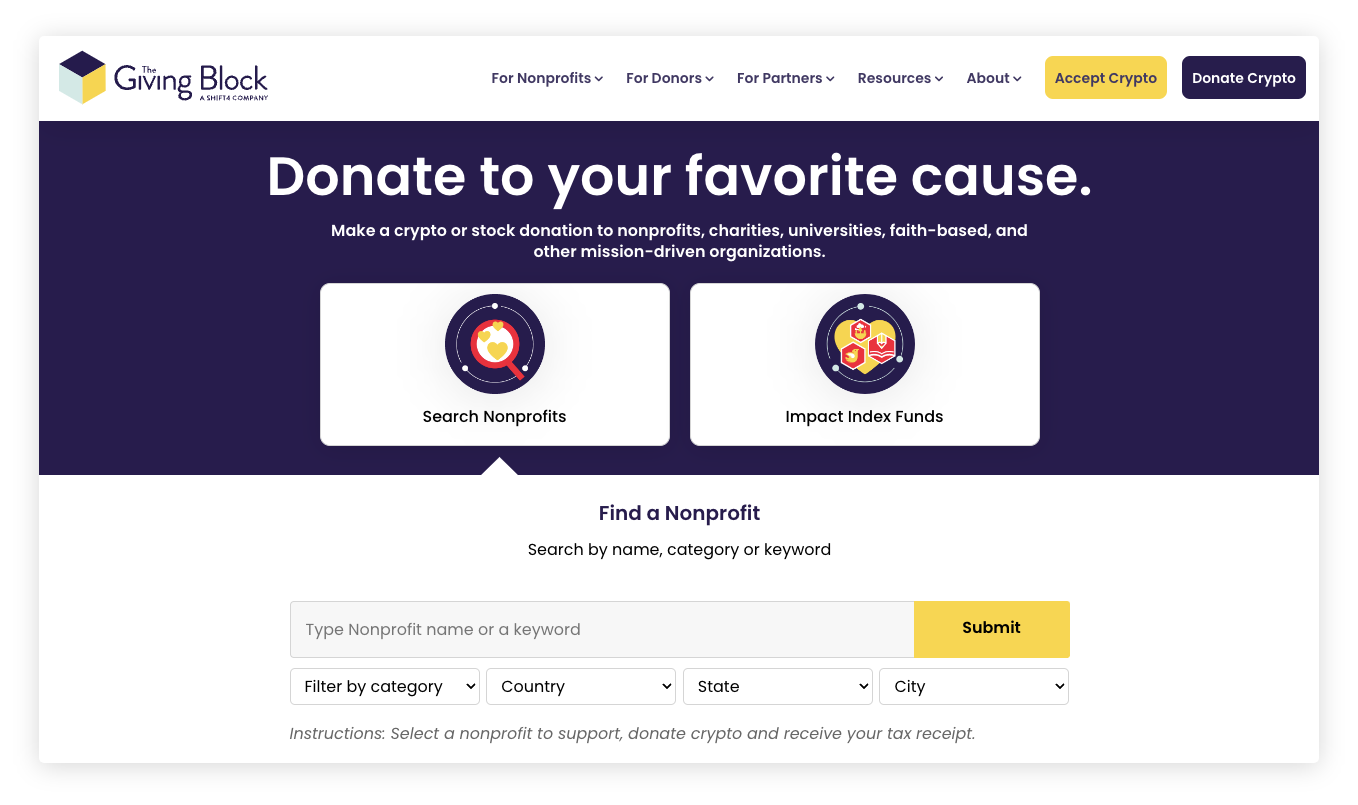
Go to TheGivingBlock.com/donate and choose from the 2,000+ nonprofits who accept crypto donations. Once you’ve picked the cause that resonates most with you, click on the donation button and choose “crypto” as your donation method.
Step 2: Decide how much you’d like to donate
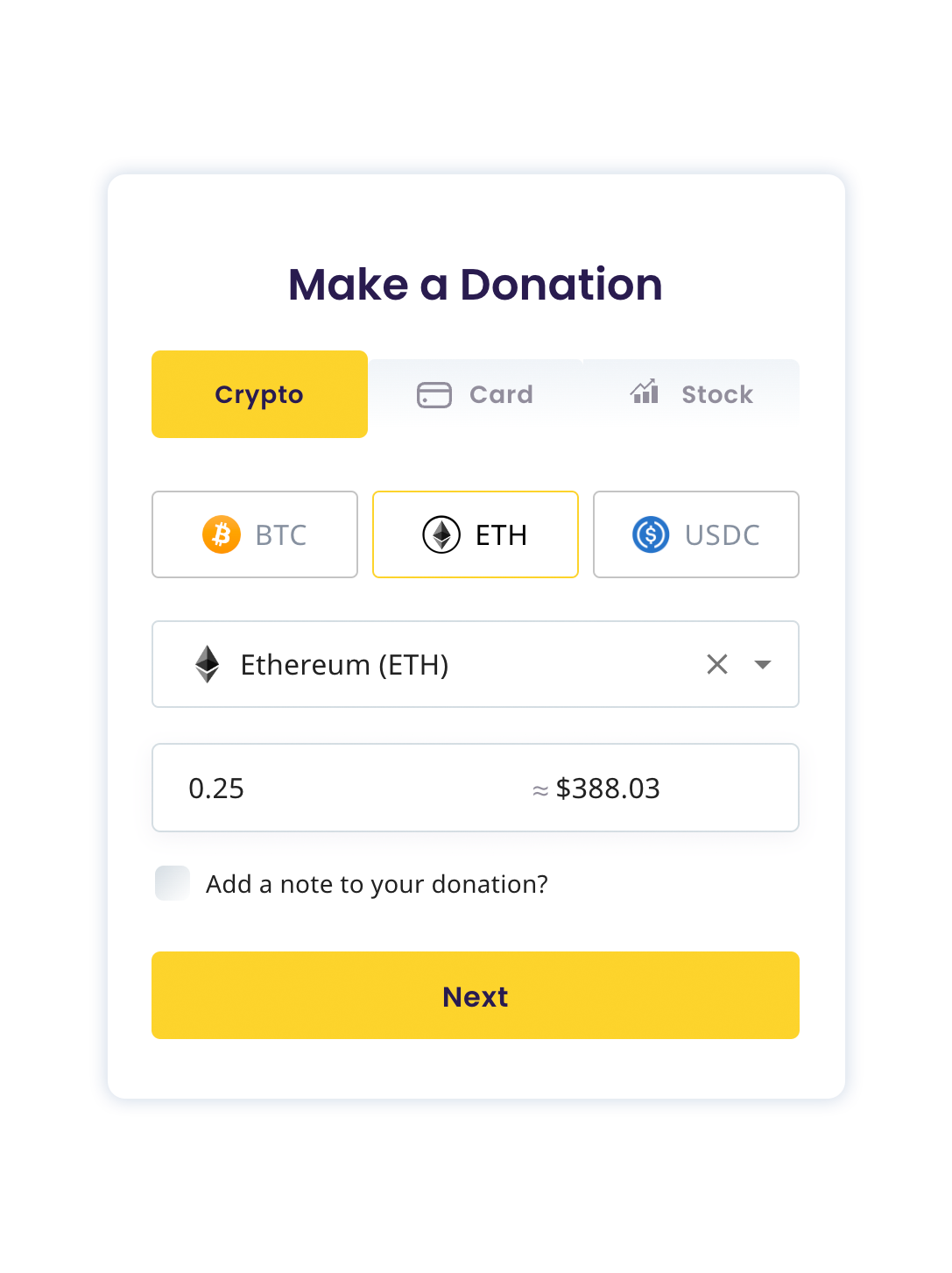
Once you have selected “crypto” as your donation method, you can choose the token you wish to donate. Choose Ethereum or any ERC-20 token in the drop down menu, and input how much you’d like to donate.
Step 3: Input personal information (or keep it anonymous!)
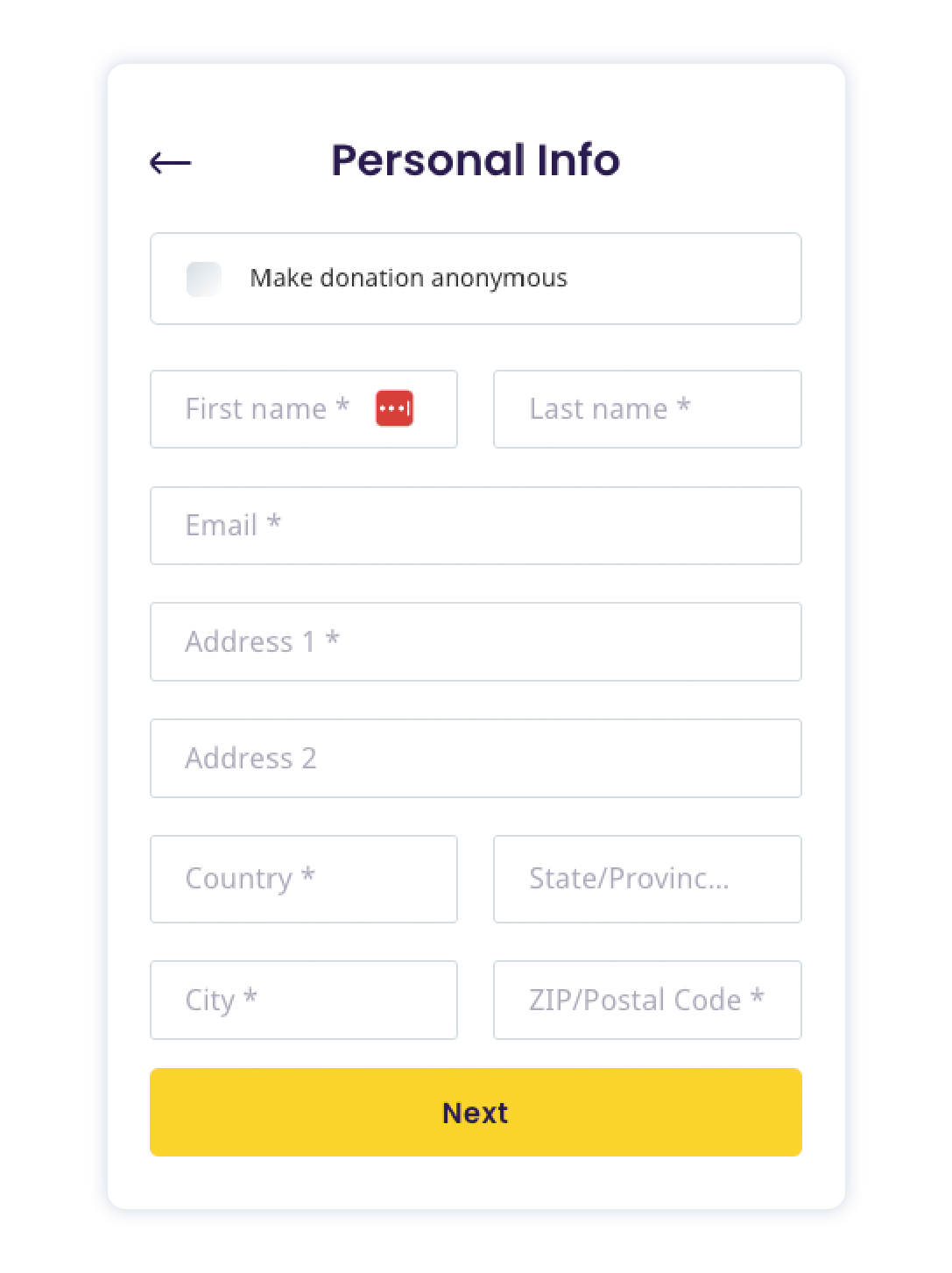
We give donors the option to input personal information including first and last name, email and address. If you’d prefer to remain anonymous, that’s fine too! Simply click the “Make donation anonymous” box at the top of the donation page.
Step 4: Make your donation
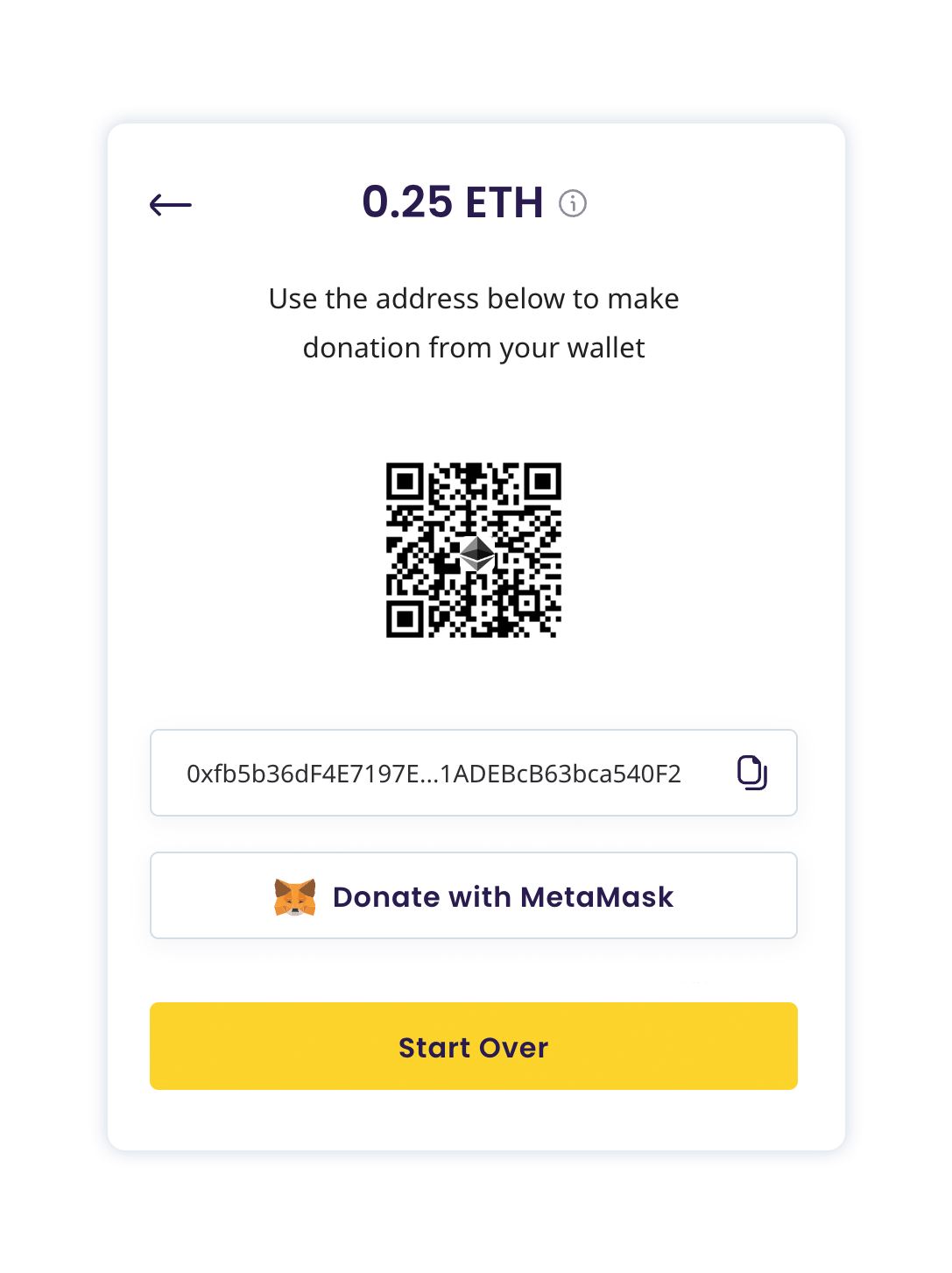
At this time, there will be an option to “Donate With MetaMask.” Simply click the button to donate.
Step 5: MetaMask confirmation
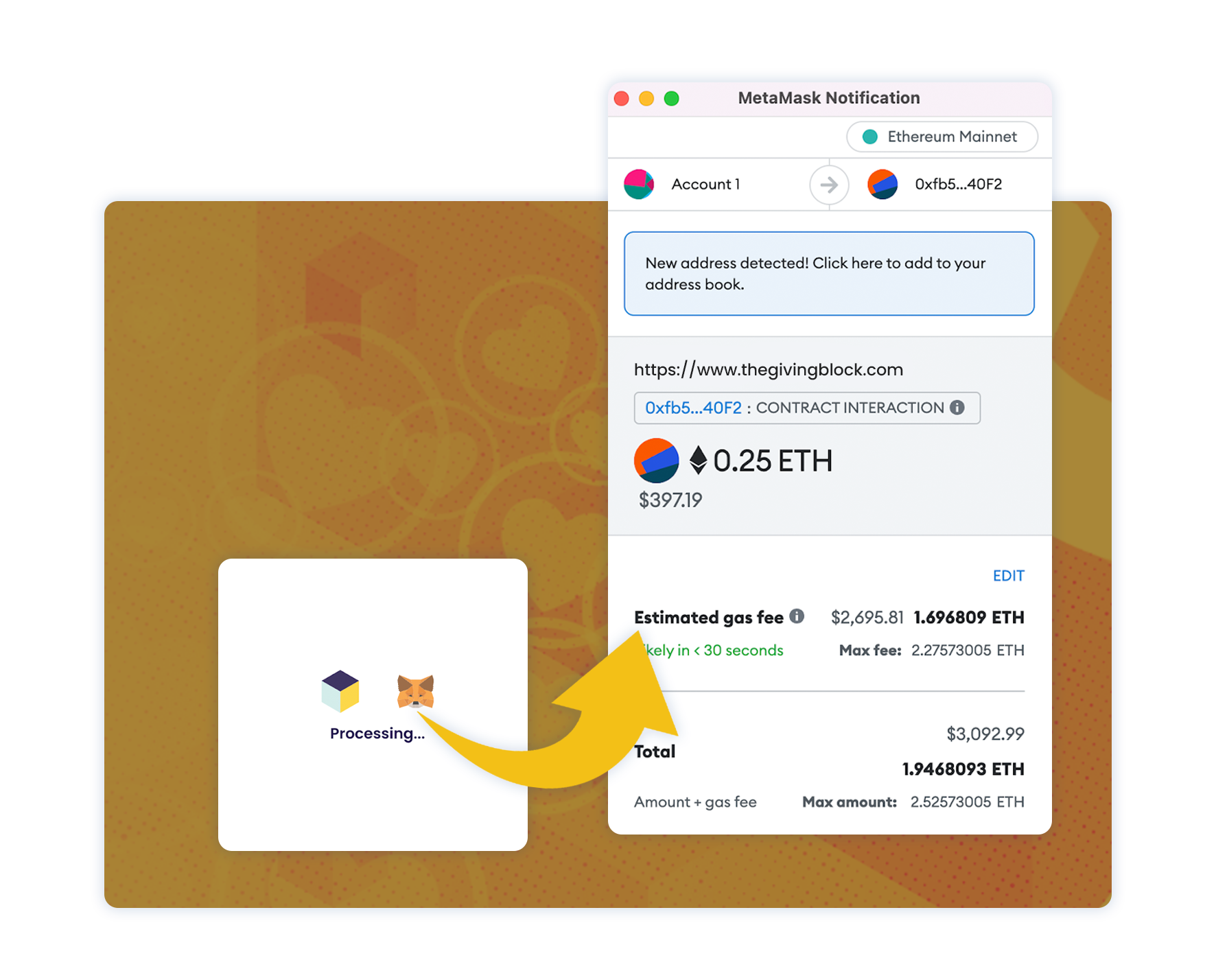
The MetaMask wallet popup window will be launched in your browser, you will see the details of your transaction including currency/token, amount and any related MetaMask fees in this window. You can “confirm” or “reject” the donation.
Step 6: Complete donation
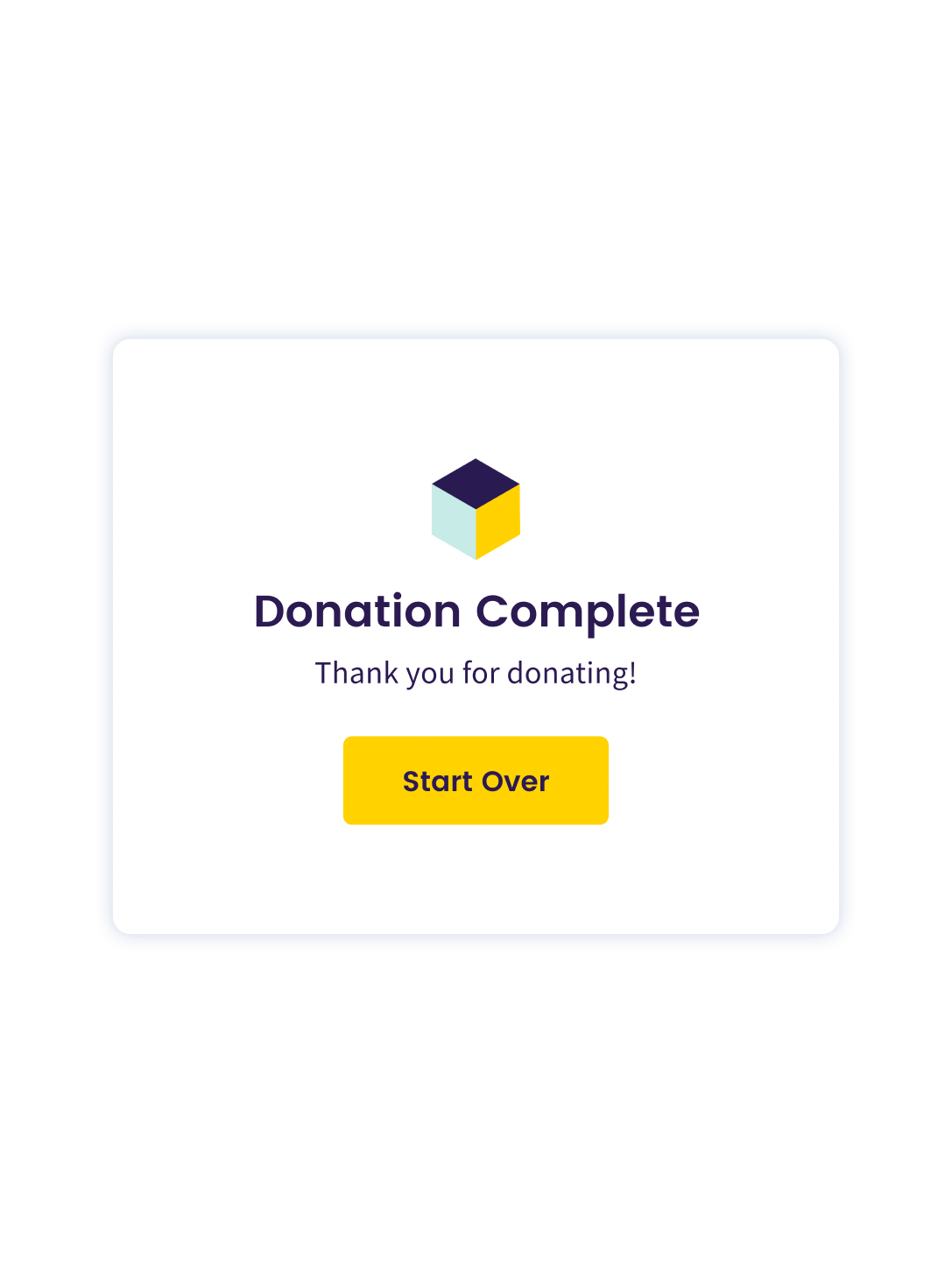
Once you’ve reviewed the information in the MetaMask popup window, you can hit “confirm” donation in MetaMask. Once the donation has been confirmed, the MetaMask pop up will close, and The Giving Block’s webpage will say “Donation Complete.”
Other things to note
MetaMask users also have the option to save an address in their MetaMask wallet. Please note that if unused, the address generated by The Giving Block for any donation will expire after 180 days.
If you are looking to donate via The Giving Block through MetaMask, but are not seeing the MetaMask donation option, check that the MetaMask browser extension is installed. Please also ensure that the currency or token you are looking to donate is supported by The Giving Block.